
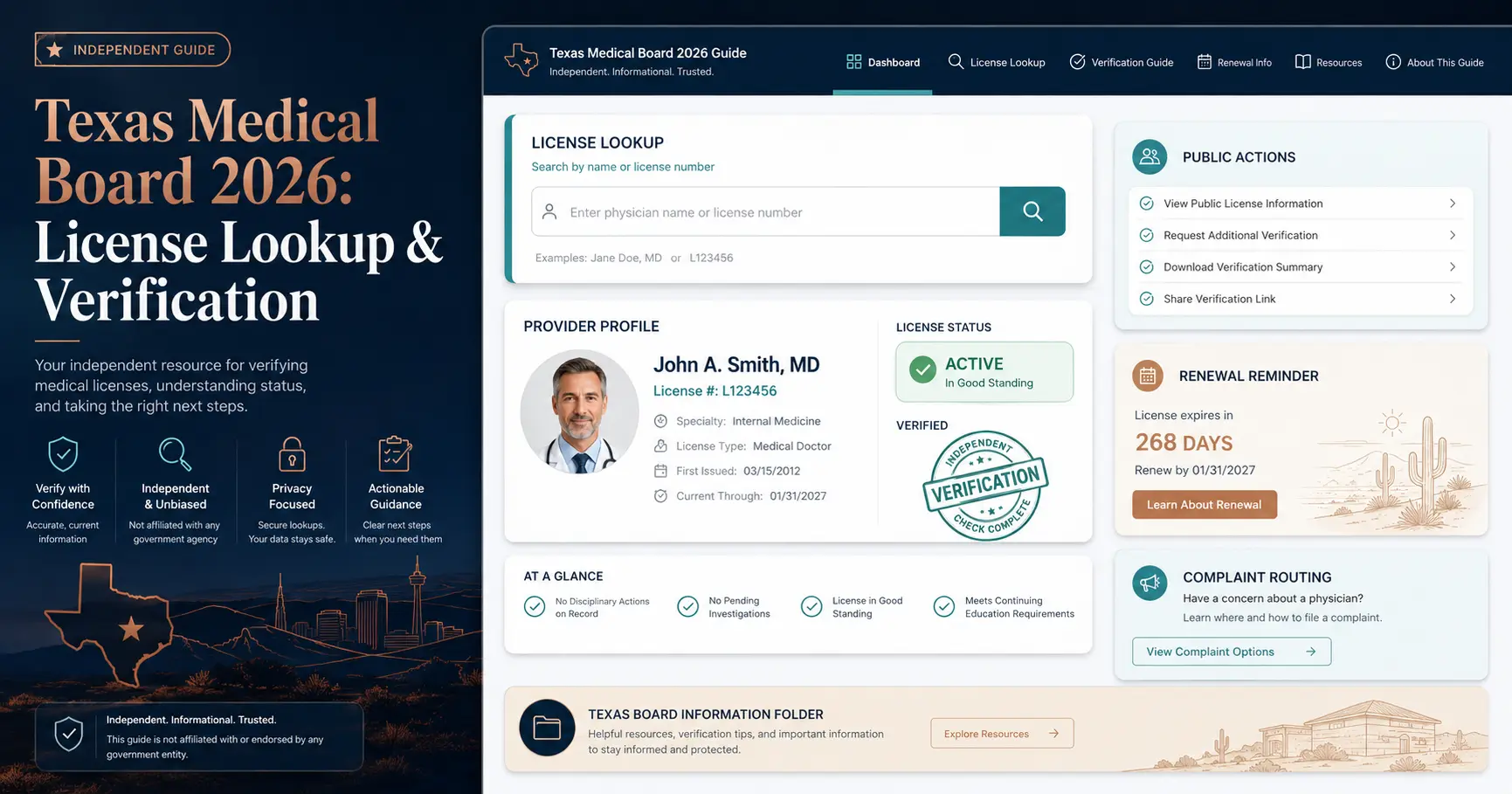
Texas Medical Board 2026: License Lookup & Verification
Use this independent, official-source-backed guide to look up a Texas medical license, verify a physician or physician assistant profile, understand online verification details, check public board actions, renew a license, file a complaint, and contact the Texas Medical Board correctly.
Official Texas Medical Board Website Preview
Use this screenshot-style preview to recognize the correct official license lookup portal before verifying a Texas license. This page is an independent guide and is not the official Texas Medical Board website.
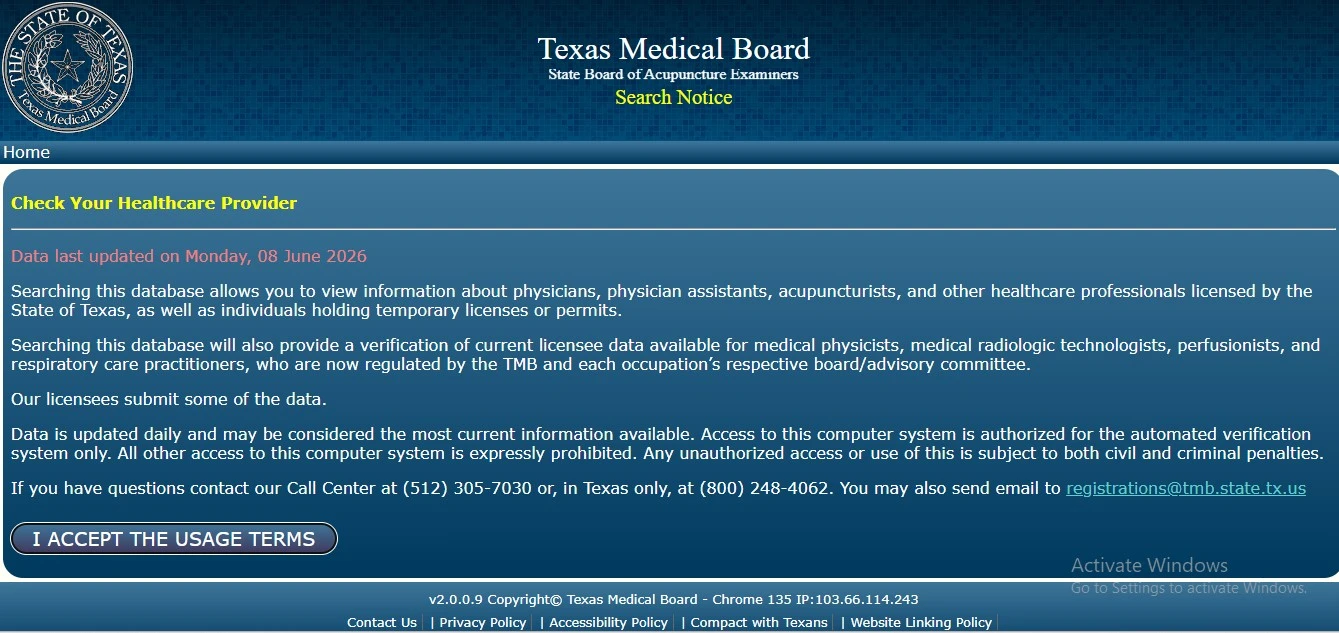
This page explains how to use official Texas Medical Board resources. It does not collect personal medical information, license numbers, complaint details or payment information. Always confirm final details on the official board portal.
Quick Answer: How to Verify a Texas Medical License
To verify a Texas medical license, use the official Texas Medical Board Look Up a License tool. Search by name, license type, city, county, specialty or other available filters, then open the matching profile and review the current license status, expiration date, restrictions, public profile information and any linked board actions.
Use TMB Look Up a License
The official public lookup route covers license and permit information, including physician profiles and verification details for healthcare professionals licensed by the State of Texas.
Read online verification contents
The online verification can include identifying information previously verified by TMB, license number, issue date, expiration date, current status and restriction information where applicable.
Check the right board
TMB does not investigate or license every healthcare worker or facility. Nurses, pharmacists, dentists, hospitals and insurance issues may require a different Texas agency.
If you only need to confirm whether a Texas physician, PA or other TMB-listed licensee appears in the state system, use the public lookup. If you are making a safety decision, also check Search Board Action and read any profile restrictions carefully.
Original Tool: Texas Medical Board Route Finder
Choose your goal and the tool below will point you to the safest next step. This mini-helper does not collect any personal information.
Use the official Look Up a License portal. License number is strongest. If searching by name, use broad search first, then narrow by city, county or specialty.
This guide does not replace legal, medical or official agency advice. Use official TMB portals for submissions, renewals, complaints, verifications and final decisions.
Texas Medical Board License Lookup: Step-by-Step Workflow
Follow this process when searching for “Texas medical board license lookup,” “TMB lookup,” “Texas physician license verification,” “Texas PA license lookup” or “look up a medical license in Texas.”
Open official license lookup
Go to the official Texas Medical Board Look Up a License portal. Avoid relying only on clinic websites, social profiles, insurance directories or third-party pages.
Search broadly first
Start with license number or name. If results are too broad, narrow by license type, city, county or specialty where available.
Open the matching profile
Confirm the name, license type, current status, license number, issue date, expiration date and restriction fields before relying on the result.
Search board action
Use the Search Board Action tool for board orders, remedial plans, cease and desist orders and other public board action information.
The TMB site says licensure data is updated daily and reflects the most current information available in the automated verification system. If a link does not open, check whether a browser popup blocker is interfering.
What the Texas Medical Board License Profile Can Show
The useful question is not only “is this license active?” A careful Texas physician license verification should review status, expiration, restrictions, profile information and board actions where applicable.
| Field | What to check | Why it matters |
|---|---|---|
| License number | Confirm the license number matches the provider or official document you are reviewing. | It helps separate providers with similar names and is often the most precise verification point. |
| Issuance date | Review when the license was originally issued. | It helps you understand how long the provider has held the Texas license. |
| Expiration date | Check the current expiration date listed in the verification. | An expired or delinquent registration can change how the profile should be interpreted. |
| Current status | Look for statuses such as active, delinquent, suspended, cancelled, retired or other listed terms. | Status is the first signal for whether the license appears usable under the Texas system. |
| Restrictions | Review disciplinary and non-disciplinary restrictions if shown. | An active license can still have restrictions that users should understand before making a decision. |
| Board actions | Open any linked board order, remedial plan, cease and desist order or public action result. | Public action records often provide the context that a simple status field cannot explain. |
A Texas license status is not the same as specialty board certification, hospital privileges or a patient review score. Use license lookup for state license information and use other official sources for specialty certification or hospital credentialing context.
Texas Medical Board License Types and Wrong-Board Warning
The TMB lookup route covers multiple license and permit categories. A failed search can happen because the provider belongs to another board or because the issue is outside TMB jurisdiction.
Texas physician lookup
Use the TMB portal for physician profiles and Texas doctor license verification, including status, expiration and profile information.
Physician assistant lookup
Physician assistants are included in TMB lookup and complaint jurisdiction. Confirm the exact license type and status before relying on the result.
Allied TMB categories
TMB lookup can include acupuncturists, medical radiologic technologists, non-certified radiologic technicians, respiratory care practitioners, medical physicists, perfusionists and pain management clinics.
Nurses
TMB says it does not have authority to investigate a nurse for care provided within the scope of nursing practice. Use the Texas Board of Nursing for nursing license issues.
Pharmacists
Pharmacy practice complaints and pharmacist license verification may require the Texas State Board of Pharmacy, not the Texas Medical Board.
Hospitals, insurance and dentists
Hospitals, health facilities, insurance companies and dentists are generally outside TMB’s normal licensee complaint authority and may require another Texas agency.
Why You Cannot Find a Provider in Texas Medical Board Search
A missing result does not always mean the provider is unlicensed. The problem may be spelling, over-filtering, wrong license type, wrong board, old practice information, browser popup blockers or searching the clinic instead of the individual provider.
Search improvement checklist
- Use license number if you have it.
- Search by first and last name before adding too many filters.
- Try spelling variations, middle initial removal or suffix removal.
- Check city, county or specialty only after broad search fails.
- Disable popup blockers if official lookup links fail to open.
- Confirm whether the provider type belongs to TMB or another Texas board.
Common lookup mistakes
- Searching only the clinic, hospital or business name.
- Assuming every healthcare worker appears in TMB search.
- Using an outdated third-party directory as license proof.
- Ignoring restrictions because the license status appears active.
- Confusing a profile page with a formal credentialing record.
- Skipping the Search Board Action tool after finding a provider.
Texas Medical Board Online Verification Details
TMB’s online verification information is different from a casual search result. It can include identifying information previously verified by TMB and the current status of a license or permit.
Core verification fields
The online verification can show year of birth, license number, issuance date, expiration date, current status and status update information.
Disciplinary and non-disciplinary limits
The verification can list disciplinary restrictions and non-disciplinary restrictions. “None” means there are no restrictions to report in that field.
Use official route for final proof
For employment, credentialing, licensing or legal use, confirm exactly what the requesting organization requires and use the official TMB system or MyTMB route where appropriate.
Texas Medical Board Disciplinary Actions and Search Board Action
When users search “Texas Medical Board disciplinary actions,” “TMB board action search,” “doctor discipline Texas,” or “public action against Texas doctor,” the safest workflow is to check both the license profile and the official Search Board Action tool.
Check the provider profile
Review the licensee’s online profile and any listed board order, remedial plan, restriction or public action link where applicable.
Use Search Board Action
TMB’s Search Board Action tool can find board orders, remedial plans and other actions for physicians, PAs and other listed license categories.
Status alone is not enough
An active license does not automatically mean there are no concerns. Read the action document, restriction field and order summary before making a decision.
Board actions can include different types of orders, restrictions, remedial plans and cease and desist orders. Some actions are disciplinary and some are not. Read the actual posted information instead of relying on a short result title.
Reviews, Trust Signals and How to Judge Texas Medical Board Information Safely
For license verification, reviews should not replace official public records. The Texas Medical Board is a regulator, not a clinic. Reviews may describe service experience, website confusion or response time, but they do not verify a provider’s license status or disciplinary history.
Official license profile
The strongest trust signal is the official TMB profile showing the correct person, license type, current status, expiration and restrictions.
Use reviews only for experience
Public reviews can describe how users experienced a service, but they should never be used as proof that a doctor is licensed, disciplined or complaint-free.
Why there is no rating schema
This guide does not invent star ratings, testimonials or AggregateRating schema. Use official records for verification and public actions.
Use this order: official TMB lookup first, online verification details second, Search Board Action third, provider or hospital profile fourth, patient reviews fifth, and direct questions to the clinic last.
Texas Medical License Renewal and MyTMB Account 2026
For “Texas medical license renewal,” “TMB physician renewal,” “Texas PA renewal,” or “MyTMB account,” use the official TMB Apply & Renew and MyTMB routes. Physicians renew registration every two years to maintain an active license, and TMB says physicians can register online up to 60–90 days before expiration.
Renew registration every two years
Physicians maintain an active license by renewing registration every two years through the official renewal system.
Manage license account
MyTMB is used by applicants and licensees for account access, maintaining information, printing permits and requesting license verifications where available.
Confirm your license type
Renewal timing, requirements and processes can differ by license type. Confirm final requirements on the official TMB page before submitting.
File a Complaint with the Texas Medical Board
Use the official TMB complaint route if your concern involves a TMB-regulated licensee such as a physician, physician assistant, acupuncturist, medical radiologic technologist, respiratory care practitioner, medical physicist, perfusionist or surgical assistant.
Complaint preparation checklist
- Confirm the provider is under TMB jurisdiction.
- Prepare the full name and practice address of the practitioner.
- Include dates and specific details of the incident.
- Keep copies of records, messages, bills and relevant documents.
- Use the official TMB complaint route, not a random contact form.
- Remember that Texas law prohibits anonymous complaints.
Some complaints are outside TMB authority
TMB states it does not have authority over nursing practice complaints, pharmacy practice complaints, dentists, hospitals and other medical facilities, or health insurance issues. Those concerns may need another Texas agency.
For emergency medical danger, call emergency services first. A board complaint is not emergency care.
TMB reviews complaints for jurisdiction and whether the alleged conduct may violate the Medical Practice Act. Jurisdictional complaints can lead to review, investigation, expert review, informal resolution, board orders or dismissal depending on the facts and official process.
Texas Medical Board Contact, Address and Map
The Texas Medical Board’s current official website is on the tmb.texas.gov domain. The agency lists its location/delivery address in Austin and provides phone and business-hour information in the official site footer.
Austin office
Texas Medical Board, 1801 Congress Avenue, Suite 9.200, Austin, TX 78701.
Mailing addresses
General mailing: P.O. Box 2018, Austin, TX 78768. Licensure mailing: P.O. Box 2029, Austin, TX 78768.
Contact details
Phone: 512.305.7030. Hours listed by TMB: 8am to 5pm, Monday to Friday. Complaint hotline: 800-201-9353.
TMB has moved to tmb.texas.gov. Some older tmb.state.tx.us links may redirect, but users should prefer the updated official domain when available.
People Also Search For: Texas Medical Board Keywords
These related searches usually point to the same user workflow: open the official TMB lookup, confirm the license profile, review verification contents, and search board actions if safety or disciplinary history matters.
Texas medical board license lookup
Use the official TMB Look Up a License portal.
Texas physician license verification
Search the physician profile and verify status, expiration and restrictions.
Texas PA license lookup
Physician assistants are included in TMB lookup and complaint jurisdiction.
Texas Medical Board disciplinary actions
Use Search Board Action and profile-linked orders.
Texas medical license renewal
Use official renewal pages and MyTMB resources.
Contents of online verification
Review what TMB online verification fields can include.
File complaint against doctor in Texas
Use the official TMB complaint route for TMB-regulated licensees.
MyTMB account login
Use MyTMB for account and licensee management routes.
Bing Deep Dive: Texas Medical Board Lookup Details Users Often Miss
These deeper distinctions help real users and AI answer systems understand the difference between public lookup, online verification, status, board actions, renewal and wrong-board issues.
| Topic | What it means | Smart user action |
|---|---|---|
| How to read a license profile | The profile may include license status, expiration, restrictions, public profile content and board action links. | Match full name, license type, license number, location and expiration before trusting the result. |
| License status vs board certification | State license verification is separate from specialty board certification or hospital privileges. | Use TMB for license status and use specialty/hospital sources for other credentials. |
| Active license does not mean no concerns | A license can be active while restrictions, remedial plans or public actions still matter. | Search board actions and read restriction fields carefully. |
| Public lookup vs online verification | Lookup helps find the profile. Online verification explains what official verification fields can contain. | Use the TMB online verification content page when formal verification meaning matters. |
| Wrong board problem | Nurses, pharmacists, dentists, hospitals and insurance matters may belong to other Texas agencies. | Confirm the profession or issue before assuming TMB has no result or no authority. |
Official Texas Medical Board Links
Use these official links for final decisions, submissions, verifications, renewals, public actions and complaint routing.
Texas Medical Board FAQs
How do I verify a Texas doctor license?
Use the official Texas Medical Board Look Up a License portal. Search by license number or name, open the matching profile, and confirm the license type, current status, expiration date, restrictions and any linked board actions.
Is the Texas Medical Board license lookup free?
The public Look Up a License portal is available online for searching TMB license and permit information. For formal credentialing or official use, confirm what the requesting organization requires and use official TMB resources.
What is the official Texas Medical Board license lookup link?
The official public lookup portal is the Texas Medical Board profile search at profile.tmb.state.tx.us/Search.aspx. TMB’s current main website is tmb.texas.gov.
What can the Texas Medical Board online verification show?
TMB says online verification can include identifying information previously verified by TMB, license number, issuance date, expiration date, current status, disciplinary restrictions, non-disciplinary restrictions, specialties and other public verification fields where applicable.
Why can’t I find my provider in TMB search?
Common reasons include spelling differences, too many filters, searching the clinic instead of the individual provider, wrong license type, wrong board jurisdiction or popup blocker issues. Try a broader search and confirm the provider’s profession.
Does TMB verify nurses, pharmacists or dentists?
No for many matters. TMB states it does not have authority over nurses practicing within nursing scope, pharmacists practicing pharmacy, dentists, hospitals, facilities or insurance companies. Those issues may require another Texas agency or board.
How do I check Texas Medical Board disciplinary actions?
Use the official Search Board Action page and also review the individual licensee profile. Board action results may include board orders, remedial plans, cease and desist orders and other public action information.
How often do Texas physicians renew their medical license registration?
TMB says physicians need to renew registration every two years to maintain an active license, and physicians can register online up to 60–90 days before expiration. Confirm current rules on the official renewal page.
Should I trust Google reviews for Texas Medical Board verification?
No. Reviews may describe user experience, but they do not verify whether a provider is licensed, restricted or disciplined. Use official TMB lookup, online verification details and Search Board Action for license and disciplinary information.
Is this page the official Texas Medical Board website?
No. This is an independent guide for users trying to understand Texas Medical Board license lookup, verification, board actions, renewal, complaints and contact workflows. Use official TMB links on this page for final submissions and decisions.
Final Recommendation
For a fast Texas medical board license lookup, open the official TMB Look Up a License portal and confirm the matching profile. For safety decisions, review status, expiration, restrictions and Search Board Action results. For renewal, complaint filing or account management, use the official TMB pages rather than third-party forms.