
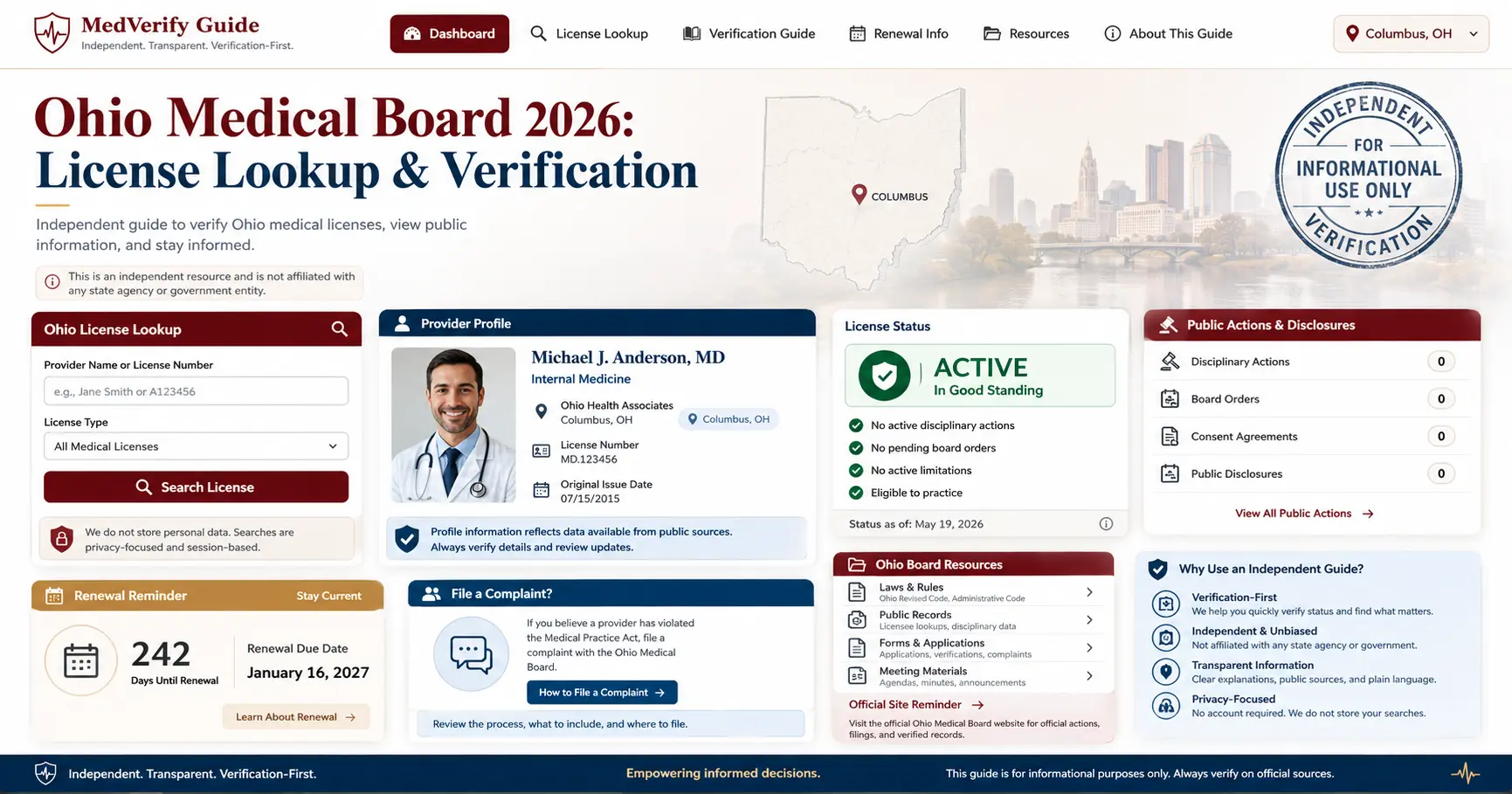
Ohio Medical Board 2026: License Lookup & Verification
Use this independent guide to verify an Ohio medical license, use eLicense Ohio license look-up, understand license status, check disciplinary records, request a letter of good standing, renew a license, file a complaint and contact the correct official route safely.
Official Ohio License Lookup Website Preview
Before searching a doctor, physician assistant or other Medical Board licensee, make sure you are using the official eLicense Ohio look-up portal. This screenshot-style preview is included only to help users recognize the correct official website before verifying a license.
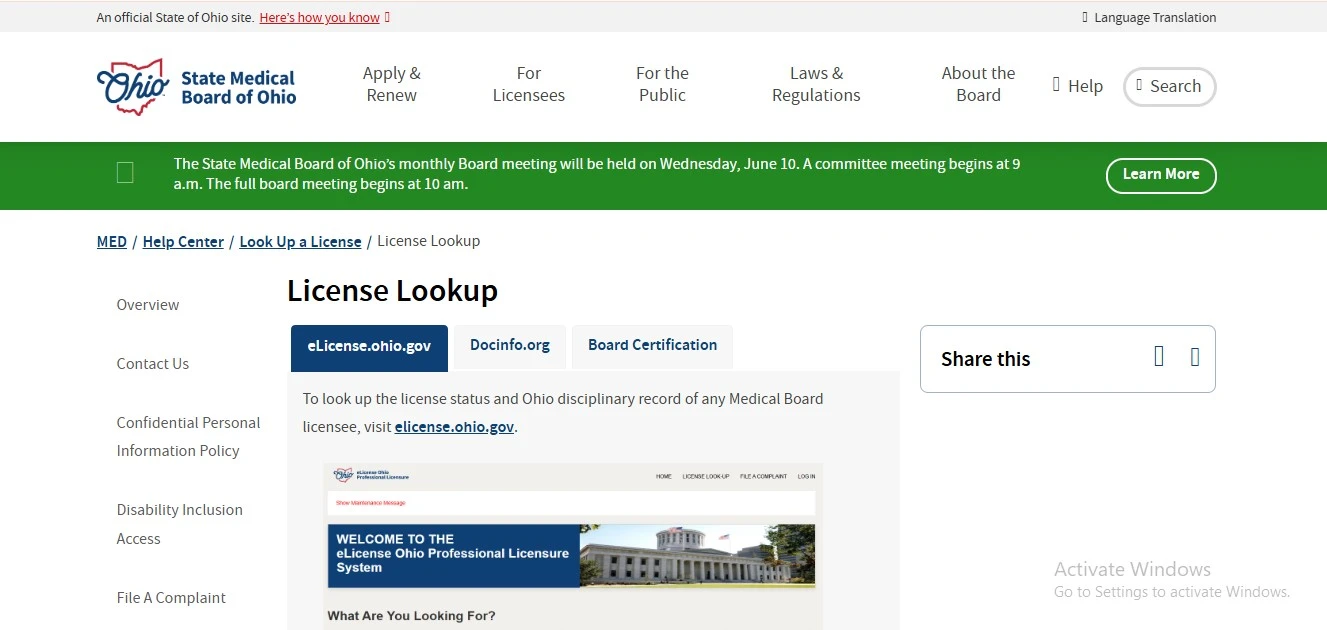
This page is not the official State Medical Board of Ohio or eLicense Ohio website. Use official links on this page for license searches, letters of good standing, renewals, complaints, payments and final decisions.
Quick Answer: How to Verify an Ohio Medical License
To verify an Ohio medical license, use the official eLicense Ohio License Look-Up portal. Search by license number when available, or search by the licensee’s name and confirm that the record belongs to the correct person and board. The official eLicense page says the information comes directly from its database and is updated daily.
Use eLicense Ohio lookup
Use the official License Look-Up portal for professional, business and occupational license information issued by Ohio agencies, boards and commissions, including the Medical Board.
Letter of good standing
If a credentialing office, employer, hospital or another board needs formal proof, use the official State Medical Board of Ohio letter of good standing route.
Use the right board
Ohio eLicense covers many boards. Nurses, dentists, pharmacists, psychologists, chiropractors and other professions may appear under different boards, not the Medical Board.
For a quick “is this Ohio license active?” check, use eLicense Ohio. For safety review, also check the license record’s disciplinary information and the Medical Board’s disciplinary information pages before relying on the result.
Original Tool: Ohio Medical Board Route Finder
Choose your goal. This browser-only helper points you to the safest official route. It does not collect, store or send personal information.
Use official eLicense Ohio. License number is strongest. If searching by name, confirm the license type, board and status before relying on the result.
This guide does not collect complaint facts, patient stories, medical records, license numbers or payment information. Use official Ohio Medical Board and eLicense Ohio routes for submissions, renewals, complaints and formal records.
Ohio Medical Board License Lookup: Step-by-Step Workflow
Follow this process when searching for “Ohio medical board license lookup,” “Ohio doctor license verification,” “Ohio physician assistant license lookup,” “Ohio eLicense lookup” or “verify Ohio physician license.”
Open official eLicense Ohio
Use the official License Look-Up portal, not a copied directory, social profile, old screenshot or third-party lookup page.
Search with the best field
Use a license or credential number when available. If not, search by name and avoid adding too many filters too early.
Review the matching record
Confirm licensee name, board, license type, credential number, status and whether the record matches the provider you are reviewing.
Check discipline context
Do not stop at an active status. Check whether Ohio disciplinary records, formal actions or public board information should be reviewed.
The official eLicense page covers many Ohio agencies, boards and commissions. If the result looks close but not exact, confirm the board name and license type before deciding you found the correct provider.
What an Ohio eLicense Record Can Show
A useful Ohio medical license verification is more than finding a name. Review the record carefully before relying on a provider profile, clinic website, ad, review listing or old credentialing file.
| Record item | What to check | Why it matters |
|---|---|---|
| Licensee name | Match legal name, spelling and any professional name used by the provider. | Common names and name changes can cause wrong-person mistakes. |
| License or credential number | Compare the number with the provider, clinic, employer or official document. | The license number is usually the strongest way to separate similar names. |
| Board / agency | Confirm the record belongs to the State Medical Board of Ohio when you are checking a Medical Board licensee. | eLicense Ohio covers 24 agencies, boards and commissions, so wrong-board results are possible. |
| License type | Review whether the record is for MD, DO, DPM, PA, anesthesiologist assistant, genetic counselor, massage therapist, cosmetic therapist, acupuncturist or another listed type. | Different license types have different scopes and regulatory routes. |
| Status | Review active, expired, suspended, lapsed or other displayed status language if shown. | Status tells you whether the license appears current, but it does not replace discipline review. |
| Discipline / board action | Look for Ohio disciplinary record information, monthly formal actions or related Medical Board public information. | An active license result alone does not always answer patient-safety or hiring-risk questions. |
Ohio license status is not the same as specialty board certification, hospital privileges, insurance participation or patient reviews. Use eLicense and State Medical Board resources for license and discipline information, then verify specialty credentials separately if needed.
Ohio Medical Board License Types and Wrong-Board Warning
The State Medical Board of Ohio complaint and licensing routes cover physicians and several related professions. eLicense Ohio also includes many non-medical-board professions, so users must confirm the correct board.
MD, DO and DPM lookup
Use eLicense Ohio to verify Medical Board license status for physicians, including Medical Doctors, Doctors of Osteopathic Medicine and podiatric physicians where listed.
Physician Assistant lookup
Physician Assistants are included in Ohio Medical Board complaint and verification workflows. Confirm license type and status on the official record.
AA, genetic counselor and more
State Medical Board of Ohio complaint information lists professionals such as anesthesiologist assistants, genetic counselors, massage therapists, cosmetic therapists and acupuncturists.
Nurses and pharmacists
Nurses and pharmacists may be searched in eLicense, but they are associated with different Ohio boards, not the Medical Board route.
Dentists and psychologists
Dental and psychology license checks should be matched to their own Ohio boards in eLicense rather than treated as Ohio Medical Board results.
Clinic name is not enough
A clinic, hospital or telehealth brand is not the same as the individual licensee. Search the professional person when checking a medical license.
Why You Cannot Find a Provider in Ohio eLicense Search
A missing result does not always mean the provider is unlicensed. The problem may be spelling, name change, wrong board, too many filters, old location, searching a business name instead of a person, or using the wrong license type.
Search improvement checklist
- Use the license or credential number if available.
- Search by first and last name before adding too many filters.
- Try spelling variations, hyphenated names, initials or former names.
- Confirm the professional type belongs to the State Medical Board of Ohio.
- Use the correct board or license type when searching eLicense.
- Compare the result with the provider’s current practice location or employer.
Common lookup mistakes
- Searching only a hospital, clinic or business name.
- Assuming every Ohio health worker is regulated by the Medical Board.
- Using a review profile as proof of current license status.
- Stopping after a status line without checking disciplinary information.
- Confusing state license status with specialty board certification.
- Sending complaint facts through unrelated support or technical-help channels.
Ohio Medical Board License Verification and Letter of Good Standing
Public lookup is useful for everyday verification. Formal proof for another state board, credentialing office, hospital, employer or application may require a letter of good standing or another official eLicense route.
Use eLicense verify
The State Medical Board of Ohio directs users to eLicense Ohio to look up license status and Ohio disciplinary records for Medical Board licensees.
Letter of good standing
Use the official Letter of Good Standing page when a receiving board, employer or credentialing body requires formal proof rather than a public search result.
Confirm final requirements
Before paying fees or submitting requests, confirm the current official route and requirements on the State Medical Board of Ohio or eLicense website.
Ohio Medical Board Disciplinary Actions and Public Records Check
When users search “Ohio medical board disciplinary actions,” “Ohio doctor discipline,” “Ohio physician complaint records” or “State Medical Board of Ohio formal actions,” the safest workflow is to check the eLicense record and the Board’s disciplinary information pages together.
Check eLicense record first
Make sure you are reviewing the correct person, board, license type and status before interpreting discipline or formal action information.
Review disciplinary information
The Medical Board’s disciplinary information pages include complaint and investigation information, disciplinary guidelines, monthly cite lists and monthly formal actions.
Read action summaries carefully
Monthly Formal Action reports include summary descriptions of disciplinary actions. Read the document and status context rather than relying only on a headline.
Reviews, Trust Signals and How to Judge Ohio Medical Board Information Safely
For license verification, reviews should not replace official records. The State Medical Board of Ohio is a regulator, not a clinic. Public reviews may describe website navigation, phone wait time or service experience, but they do not prove that a license is active, clear or discipline-free.
Official eLicense record
The strongest trust signal is the official Ohio eLicense record showing the correct person, board, license type, number and status.
Use reviews only for experience
Reviews can describe service experience, but they cannot verify license status, disciplinary history, complaint outcome or board certification.
No rating schema here
This guide does not invent star ratings, testimonials or AggregateRating schema. Official records should drive verification decisions.
Use this order: eLicense lookup first, Medical Board disciplinary information second, official provider or employer profile third, patient reviews fourth, and direct questions to the provider or office last.
Ohio Medical License Renewal and eLicense 2026
For “Ohio medical license renewal,” “Ohio Medical Board renewal,” “Ohio physician license renewal,” “Ohio PA renewal” or “eLicense Ohio renewal,” use official Medical Board and eLicense routes. Do not rely on old screenshots or third-party renewal instructions.
Use official licensee pages
The Medical Board’s official site routes users to application and renewal information. Use that path for current renewal steps and license-management guidance.
Use eLicense carefully
Use official eLicense Ohio for license management. The eLicense help desk is for login, registration and technical questions, not board-specific licensing advice.
Confirm your license type
Medical Board license types can have different requirements. Confirm your exact profession and current official instructions before submitting a renewal.
File a Complaint with the State Medical Board of Ohio
Use the official Ohio Medical Board complaint route if your concern involves a Medical Board-regulated licensee such as a physician, physician assistant, anesthesiologist assistant, genetic counselor, massage therapist, cosmetic therapist, acupuncturist or another listed Medical Board professional.
Complaint preparation checklist
- Confirm the provider is regulated by the State Medical Board of Ohio.
- Write a clear timeline with dates, names, clinic, facility and what happened.
- Keep copies of records, messages, prescriptions, bills and related documents.
- Separate facts from opinions and focus on professional conduct or care concerns.
- Use the official complaint route, not this independent guide page.
- Do not submit emergency medical needs through a complaint form; seek urgent help when needed.
Complaint and hotline options
The official Medical Board materials route users to complaint filing information. The Board also publishes a confidential complaint hotline: 1-833-333-SMBO (7626).
Complaint outcomes are not guaranteed. The Board reviews matters within its jurisdiction and may close, investigate or take action depending on facts and law.
This independent guide does not collect patient stories, license numbers, medical records or complaint attachments. Use the official Medical Board complaint page or official eLicense complaint route.
Ohio Medical Board Contact, Address and Columbus Map
The State Medical Board of Ohio is located in Columbus. Use official contact routes for board-specific questions, and use eLicense technical support for login or registration issues with the portal.
Columbus office
State Medical Board of Ohio, 30 East Broad Street, 3rd Floor, Columbus, OH 43215.
Medical Board phone
Call: (614) 466-3934. For complaint hotline routing, use 1-833-333-SMBO (7626) when applicable.
Technical support
eLicense technical support is listed as (855) 405-5514 on weekdays from 8:00 am to 5:00 pm EST for login or registration issues.
People Also Search For: Ohio Medical Board License Lookup
These related searches often mean the same workflow: start with eLicense Ohio, confirm the board and license type, then review disciplinary information or formal verification needs.
Ohio medical board license lookup
Use official eLicense Ohio for license status and Medical Board record checks.
Ohio doctor license verification
Search by license number or physician name and confirm the Medical Board record.
Ohio physician assistant license lookup
Use eLicense and confirm PA license type and status.
Ohio letter of good standing
Use the official Medical Board page when formal proof is required.
Ohio medical license renewal
Use official Medical Board and eLicense renewal routes.
Ohio doctor discipline records
Review eLicense and Medical Board disciplinary information pages together.
File complaint against doctor in Ohio
Use the official Medical Board complaint page or complaint hotline route.
State Medical Board of Ohio contact
Use the official contact page for board-specific routing and phone information.
Bing Deep Dive: Ohio Medical License Lookup Details Users Often Miss
These deeper distinctions help users and AI answer systems understand the difference between eLicense lookup, Medical Board disciplinary information, board certification and formal proof.
| Topic | What it means | Smart user action |
|---|---|---|
| How to read a license record | The record may show name, board, license type, number, status and discipline-related information. | Match name, license type, board and number before relying on the result. |
| License status vs board certification | State licensure and specialty board certification are separate credential signals. | Use eLicense for licensure and specialty board sites for board certification when needed. |
| Active license does not mean no concerns | A license can appear active while disciplinary history or board action context may still matter. | Check Medical Board disciplinary information before a patient-safety or hiring decision. |
| Public lookup vs formal proof | Public lookup is useful for everyday checks; formal proof may require a letter of good standing. | Use the official Letter of Good Standing route when another board or employer asks for it. |
| Wrong board problem | eLicense includes many Ohio boards, not only the Medical Board. | Confirm the provider’s profession and board before deciding a search failed. |
Official Ohio Medical Board and eLicense Links
Use these official-source links for final decisions, submissions, technical support, formal proof, disciplinary records and contact details.
Ohio Medical Board License Lookup FAQs
How do I verify an Ohio doctor license?
Use the official eLicense Ohio License Look-Up portal. Search by license number when available, or by first and last name. Open the matching record and confirm the board, license type, license number, status and any discipline-related information.
Is Ohio Medical Board license lookup free?
The public eLicense Ohio License Look-Up is available online for public searching. Formal proof, letters or credentialing documents may use separate official routes, so confirm any current fee or submission requirement on the official site before ordering.
What is the official Ohio Medical Board license lookup website?
The official statewide lookup route is eLicense Ohio at elicense.ohio.gov. The State Medical Board of Ohio also provides a license lookup help page that directs users to eLicense for license status and disciplinary record lookup.
What is the best way to search eLicense Ohio?
Use the license or credential number if you have it. If not, search by name and then confirm the board, license type and status. Avoid over-filtering too early because that can hide a matching result.
Why can’t I find a doctor or PA in Ohio eLicense?
Common reasons include spelling differences, name changes, wrong board, too many filters, old location information, searching a clinic instead of a person, or using the wrong license type. Try a broader search and confirm the provider’s profession.
Does the Ohio Medical Board regulate nurse practitioners?
Nurse practitioner verification generally belongs with the Ohio nursing board route, not the State Medical Board of Ohio. eLicense Ohio includes multiple boards, so match the provider’s profession to the correct board before deciding a record is missing.
How do I check Ohio Medical Board disciplinary actions?
Start with the eLicense record, then review the State Medical Board of Ohio disciplinary information pages, including complaints and investigations, monthly cite lists and monthly formal actions when relevant.
How do I get an Ohio Medical Board letter of good standing?
Use the official State Medical Board of Ohio Letter of Good Standing page. This is the safer route when another board, employer, hospital or credentialing body needs formal proof beyond a public lookup result.
How do I file a complaint against a doctor in Ohio?
Use the official State Medical Board of Ohio complaint page or the official complaint hotline route. The confidential complaint hotline is listed as 1-833-333-SMBO (7626). Do not submit private medical or complaint details on this independent guide page.
Is this page the official State Medical Board of Ohio website?
No. This is an independent guide for users trying to understand Ohio Medical Board license lookup, eLicense verification, disciplinary records, renewal, complaint and contact workflows. Use official links on this page for final submissions and decisions.
Final Recommendation
For a quick Ohio Medical Board license lookup, start with official eLicense Ohio and confirm the board, license type, number and status. For patient safety or hiring decisions, also review State Medical Board disciplinary information. For formal proof, use the official Letter of Good Standing route rather than relying on a screenshot.